Set up the meeting
Invite the people doing the work and someone who can change the plan. Pick one decision still open to change. “Should we move all customers to the new onboarding flow on Monday?” gives the group more to work with than “What could go wrong this quarter?”
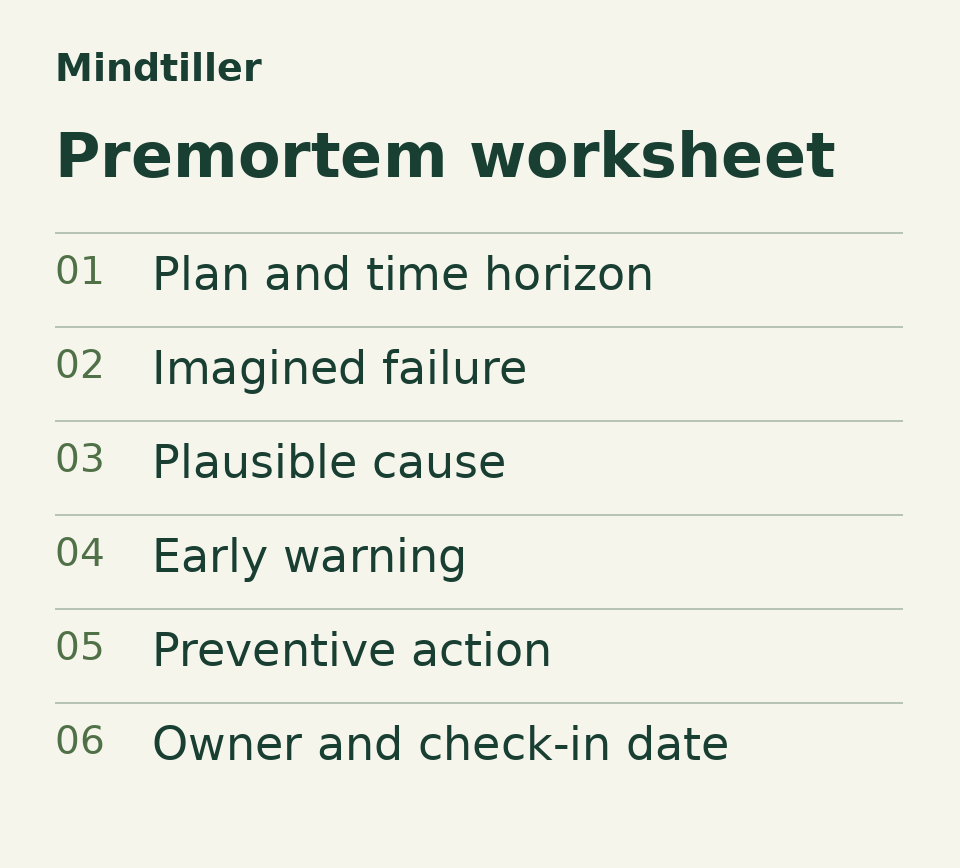
Send the plan and the intended outcome in advance. Give each participant a copy of the one-page premortem worksheet (PDF) or a private place to write. Ask the project sponsor to share their scenario last.
A 30-minute premortem agenda
0–3 minutes · Describe the failure
State the plan, the time horizon and one observable failure. For the onboarding example, say: “It’s four weeks after launch. New customers still need an agent to finish setup. Take a moment to imagine how we got here.” Leave the cause open.
3–8 minutes · Write independently
Ask each person to finish the sentence “This happened because …” twice. Request one cause per note. Someone who writes “poor communication” can add who needed which information and when. In a remote meeting, have everyone compose their notes before posting them together.
8–15 minutes · Hear one scenario from each person
Go around the room once before inviting second contributions. Capture each cause in the speaker’s words. If someone starts defending a design choice, ask “What would we see if this concern turned out to be true?” Keep distinct explanations even when they predict the same result.
15–22 minutes · Choose a warning and a response
Select one or two scenarios where a change is still possible and the consequence matters. For each, identify a signal the team could observe before the failure, then an action within someone’s control. Record unresolved disagreements as questions to test.
22–30 minutes · Assign the work and close
Ask each owner to restate the action and name a check-in date. Decide who can change the launch plan if the signal appears. Read back what the team will change today and what it will watch during the pilot.
Worked example: a warning that changes the launch
In a fictional onboarding pilot, the team expects customers to verify their accounts without help. A support specialist imagines a customer closing the browser while waiting for an email. The verification link then opens on another device and loses the setup session.
- Early warning
- A pilot participant opens the verification email on their phone and has to restart setup on their laptop.
- Preventive action
- Test the cross-device path with three pilot users. Watch where each person resumes setup.
- Owner and check-in
- The onboarding lead runs the pilot on Thursday. At Friday’s launch review, the product owner checks the results and decides whether to delay the rollout.
Take the worksheet into the meeting
Print one copy for each scenario. After the discussion, enter the selected actions in the online premortem planner and share the action summary with the owners.
At the check-in, record what the team observed, what changed and why in the decision journal. The next review can then compare the original concern with what actually happened.
Further reading: Gary Klein’s Performing a Project Premortem. The timing and onboarding example above are Mindtiller’s suggested facilitation format.